
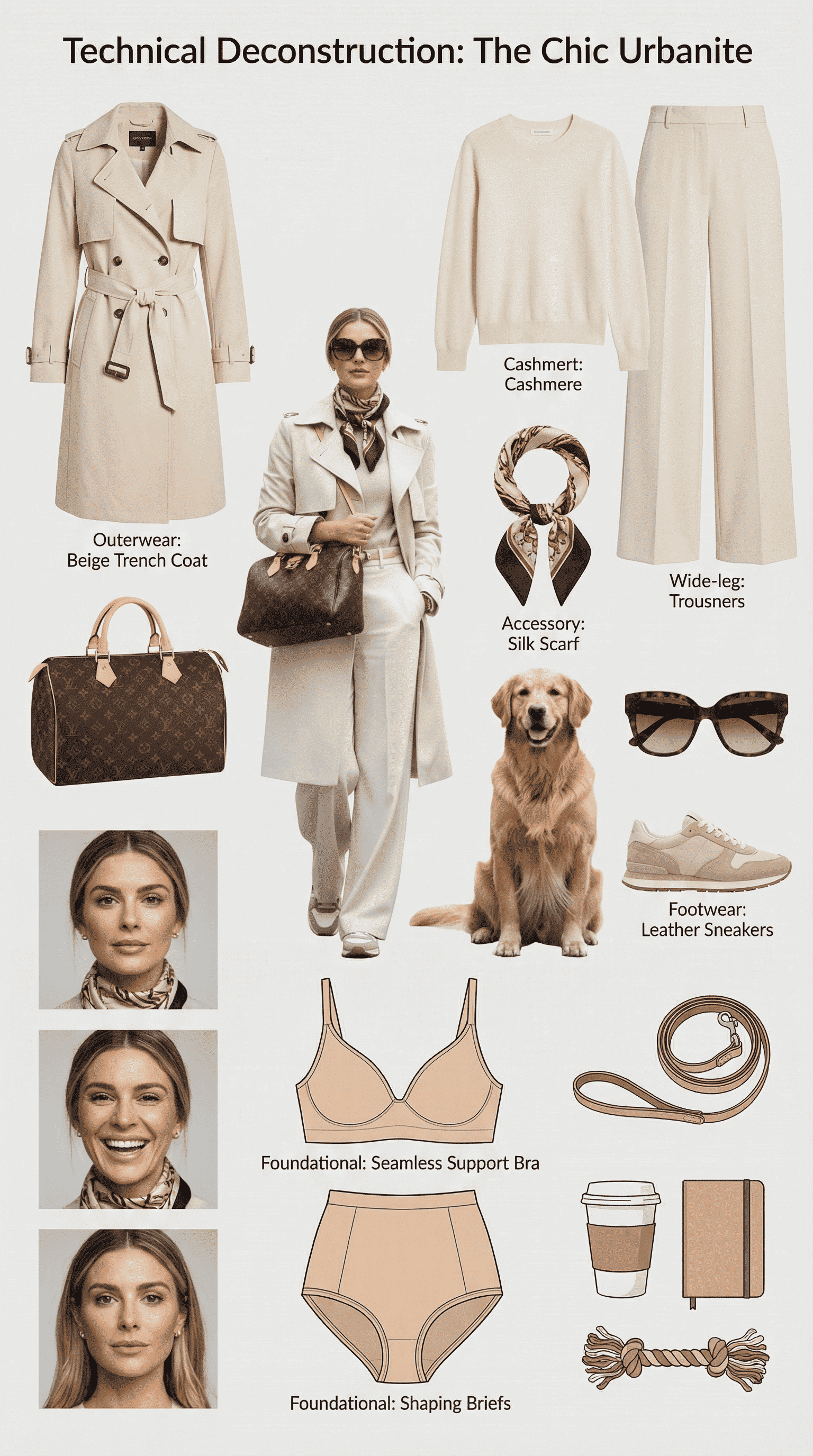
Wardrobe Disassembly and Style Analysis
Create a wardrobe disassembly and style analysis collage with Nano Banana Pro. Identify clothing styles, color palettes, and design trends from a single image.
Prompt
**Task: Create a comprehensive "Wardrobe Deconstruction and Style Profile" collage based on an uploaded image.** **Objective:** Act as a professional fashion archivist and technical designer. Given an uploaded image of a person, generate a visually compelling, high-resolution "Style Profile" collage that meticulously deconstructs their entire ensemble, from the outermost layer to the foundational structure. The final output must be a single, cohesive, photorealistic image. **Core Elements:** 1. **Central Subject Image:** - Place the subject from the uploaded image in a full-body pose as the central focus. - Maintain the subject's likeness (face, hair, clothing) while enhancing the image to a professional, high-fashion photographic standard. 2. **Complete Ensemble Deconstruction (Photorealistic Product Shots):** - Generate a visual breakdown of the subject's attire, presenting each item as a separate, high-quality product photograph. - **Outer and Mid-Layers:** All visible garments and accessories. - **Foundational Elements:** A technical illustration of the essential structural garments that provide shape and support to the silhouette (e.g., a bra, slip, or specific underlayer). These elements must be rendered as **objective, flat-lay design schematics** with a focus on material and construction, not on the human form. - Include detailed close-ups of key materials (e.g., fabric weave, leather texture, metal finish) to emphasize quality and design. 3. **Lifestyle & Contextual Items:** - Based on the subject's style, infer and generate a collection of 4-6 photorealistic items that suggest their likely environment, interests, or daily routine. 4. **Expression & Detail Sheet:** - Generate a series of 3-4 close-up portraits showing a range of natural, context-appropriate expressions. **Aesthetic and Layout Guidelines:** - **Overall Style:** Strictly **Hyper-realistic, photographic style**. Absolutely no illustration, anime, or hand-drawn elements. - **Layout:** Arrange all elements in a **clean, balanced, and modular collage** on a neutral background (white or light gray). The layout must be visually logical and professional, resembling a high-end fashion technical document. - **Annotations:** Use a clean, minimalist font for all text. - **Title:** Generate a professional, gender-neutral title (e.g., "Technical Deconstruction: The Urban Minimalist"). - **Labels:** Add brief, descriptive labels for all deconstructed items, including the "Foundational Elements," using technical terms (e.g., "Structural Support Garment," "Base Layer"). **Crucial Instruction:** The rendering of all "Foundational Elements" must be purely technical and objective, presented as a **design schematic or flat-lay product shot** to emphasize construction and material, completely detached from the central subject's body.
ログイン このスタイルを使用するには
使い方
「同じスタイルで生成」をクリック
上のボタンを押して、このスタイルが事前に読み込まれたAI画像ジェネレーターを開きます。
AIジェネレーターに自動移動
プロンプトが自動入力された状態でジェネレーターに直接移動します。
詳細を調整する
被写体・色・雰囲気など希望の詳細を入力して「生成」を押してください。