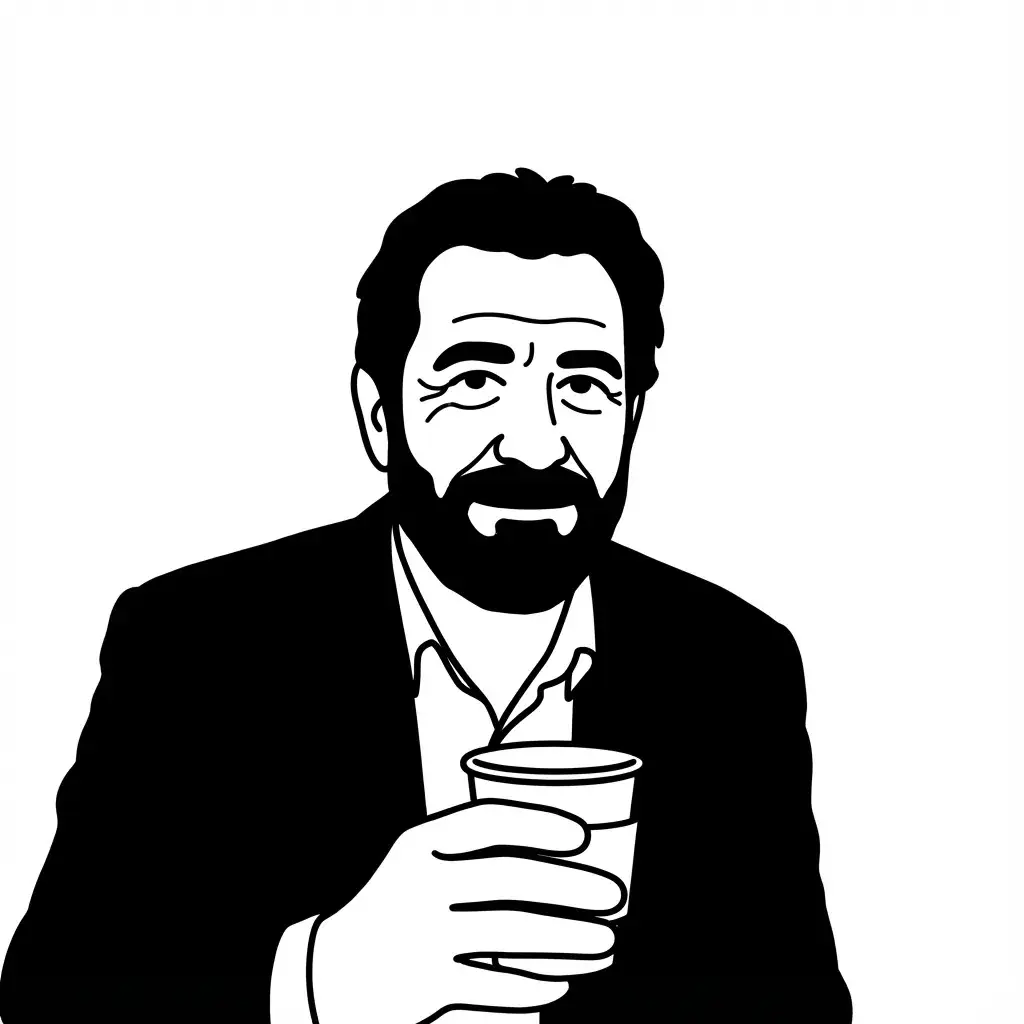
Notion-styled minimalist illustrations
Create Notion-styled minimalist illustrations by Nano Banana Pro.
Prompt
A minimalist, black-and-white flat vector illustration portrait of [CHARACTER NAME], rendered in the expressive "Notion avatar" art style.LINE WORK & VIBE:Style: Use THICK, UNIFORM black outlines (monoline weight). The lines should feel organic, smooth, and confident, not rigidly geometric or robotic like generic icons.Vibe: The character should have a distinct personality and a relaxed, cool, or friendly expression. Focus on stylized features, unique hairstyles, and defining accessories to convey character.SELECTIVE BLACK FILLS (CRITICAL):Unlike pure outline icons, utilize Solid Black Fills selectively and strategically.Where to Fill: Use solid black for prominent hair masses, beards, eyebrows, sunglasses, or dark clothing elements.Where to Keep White: The skin, main face area, and lighter elements must remain pure flat white inside the thick outlines.COMPOSITION & TECHNICAL:No shading, no gray tones, no gradients. Only pure Black and pure White.Clean bust or headshot composition centered on a white background.High contrast, clean 2D vector graphics.
ログイン このスタイルを使用するには
使い方
「同じスタイルで生成」をクリック
上のボタンを押して、このスタイルが事前に読み込まれたAI画像ジェネレーターを開きます。
AIジェネレーターに自動移動
プロンプトが自動入力された状態でジェネレーターに直接移動します。
詳細を調整する
被写体・色・雰囲気など希望の詳細を入力して「生成」を押してください。