专业时尚摄影
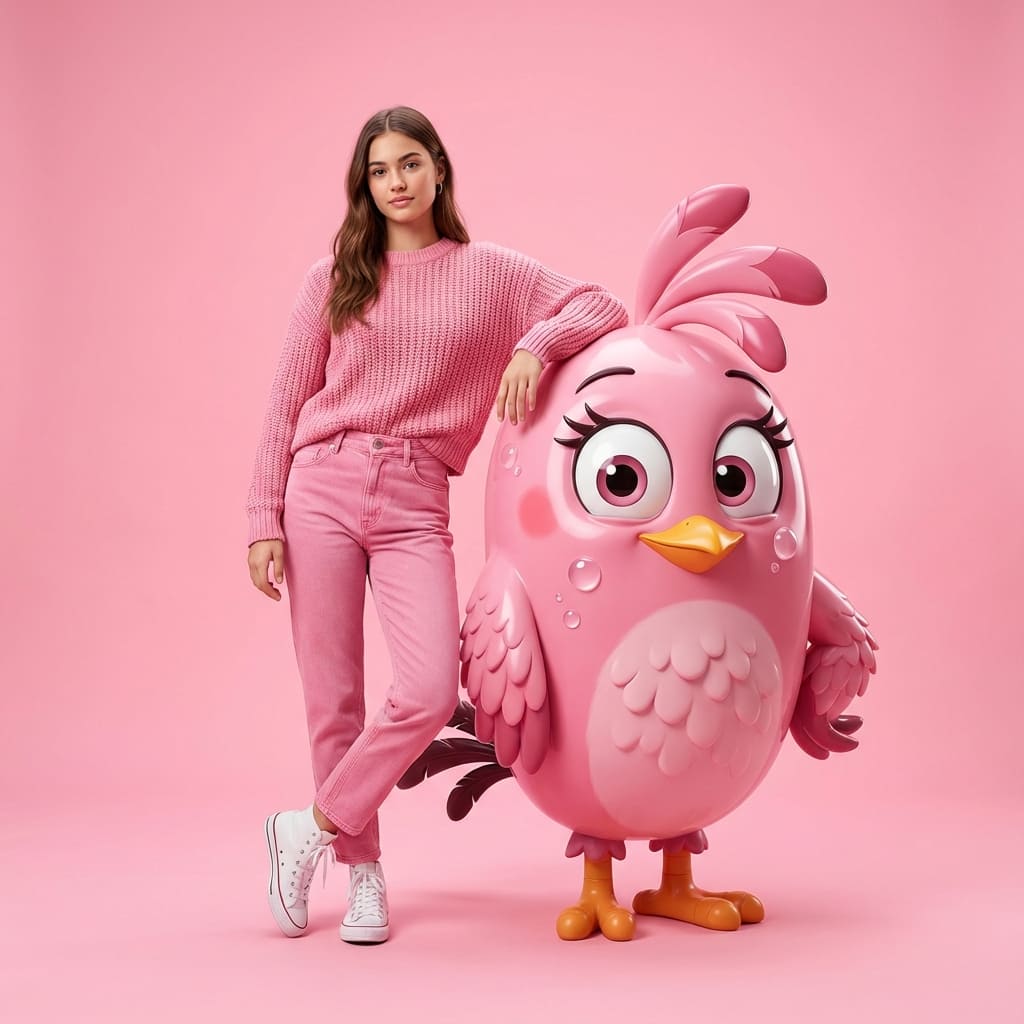
Create professional fashion photography by Nano Banana Pro.
Prompt
{"image_generation":{"quality":"hyper-realistic, high-detail, professional fashion photoshoot","face":{"preserve_original":true,"reference_match":true,"description":"Use the exact same face from the uploaded photo without altering any facial features or identity."},"subject":{"description":"A stylish young woman with the same face as the reference photo.","clothing":{"top":{"type":"knitted sweater","color":"pink"},"pants":{"type":"jeans","color":"pink"},"shoes":{"type":"high-top sneakers","color":"white"}},"pose":"standing with one arm resting casually on a giant 3D-rendered Angry Birds 'Pink' character","expression":"natural, confident, casual fashion look"},"character_element":{"name":"Angry Birds Pink","type":"giant 3D photorealistic render","style":"clean, glossy, cartoon-accurate but ultra-detailed","interaction":"the woman's arm rests on the character as if posing together"},"environment":{"background":"seamless solid vibrant light pink backdrop","setting":"professional photo studio","lighting":"soft evenly diffused studio lighting with clean highlights and minimal shadows"},"aesthetic":{"style":"modern fashion photography","mood":"playful, bright, stylish","details":["hyperrealistic skin texture","sharp fabric details","accurate lighting reflections on 3D character","smooth studio gradients"]}}
登录 以使用此风格
使用方法
点击「用同款风格生成」
点击上方按钮,打开已预载该风格的 AI 图像生成器。
自动进入 AI 图像生成器
系统会直接跳转到生成器,提示词已自动填写完毕。
调整具体细节
描述你想要的细节——主体、颜色、情绪——然后点击生成。