
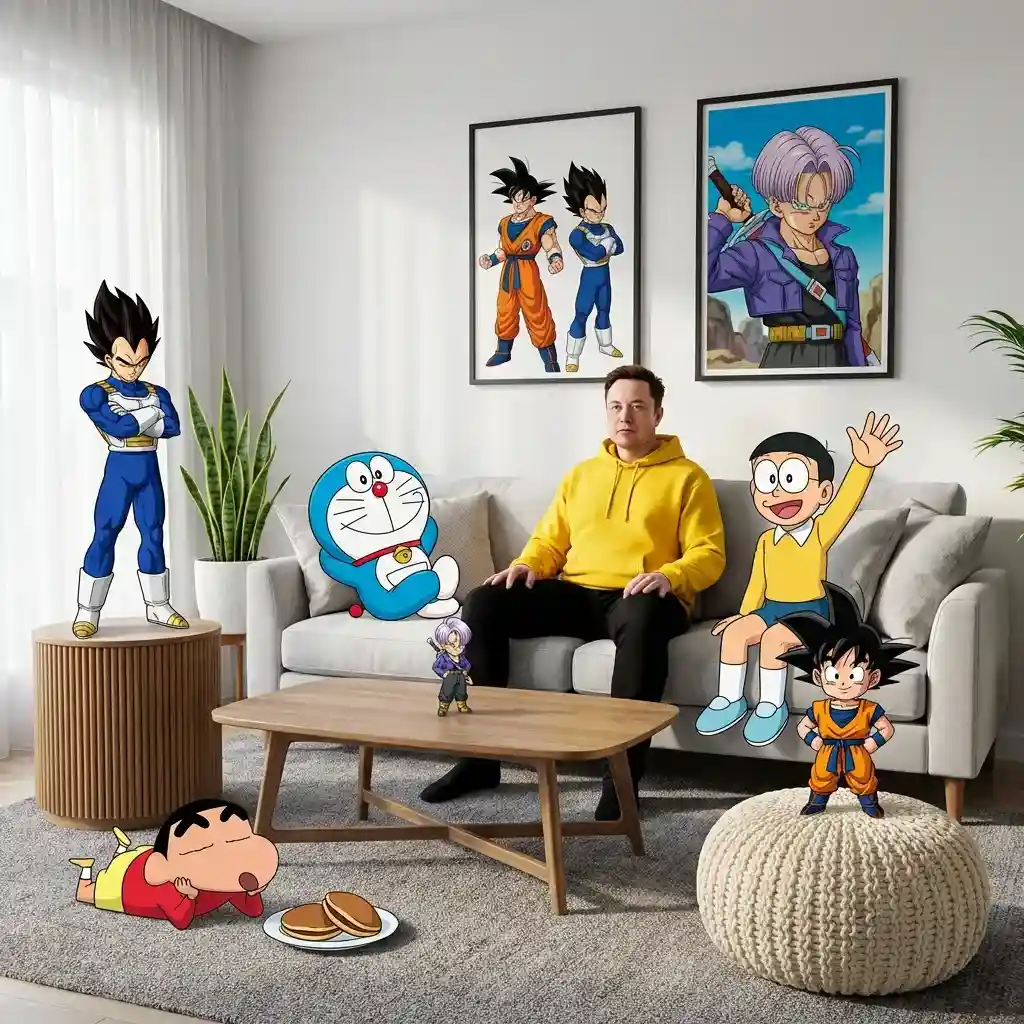
Blending the Real World and the Anime World
Create a Blending the Real World and the Anime World by Nano Banana Pro.
Prompt
A high-fidelity, wide-angle interior shot captures a surreal, mixed-media composition within a modern living room. It features a man resembling the face in the reference photo—using an uploaded face as a reference—wearing a bright yellow hoodie and black pants, sitting centrally on a plush light gray sofa. The scene seamlessly blends photorealistic 3D environments with cel-shaded 2D anime and cartoon characters interacting directly with the physical space. On the right side of the subject on the sofa, Nobita sits casually waving his hand, while on the left side, Doraemon leans casually on a pillow. Behind the sofa, two framed posters hang on the white wall—one featuring Son Goku and Vegeta, and the other featuring Trunks in a dynamic anime style. In the foreground, Shinchan lies relaxed on a textured gray carpet near a plate of dorayaki, while a chibi version of Son Goku stands triumphantly on a cream-colored knit pouf. On the left side of the room, Vegeta stands tall on a grooved wooden side table in a confident pose, while a miniature version of Trunks is near the wooden coffee table in the center, as if observing the scene with a curious expression. Soft natural light streams in from the left side through sheer curtains, creating subtle volumetric lighting that accentuates the texture of the blanket, the wood grain of the tiered table, and the leaves of the snake plant in the corner of the room. The entire scene is rendered in 8K resolution with sharp focus, vivid colors, and a dreamy, cinematic, and playful aesthetic blending between the real world and the anime world, with no AI visible.
Đăng nhập để sử dụng phong cách này
Cách sử dụng
Nhấn «Tạo theo phong cách này»
Nhấn nút trên để mở trình tạo ảnh AI với phong cách này được tải sẵn.
Tự động chuyển đến trình tạo
Bạn sẽ được đưa thẳng đến trình tạo với prompt đã được điền sẵn.
Điều chỉnh chi tiết
Mô tả chủ đề, màu sắc, tâm trạng bạn muốn rồi nhấn Tạo.