Photo Grid Tribute Poster Design
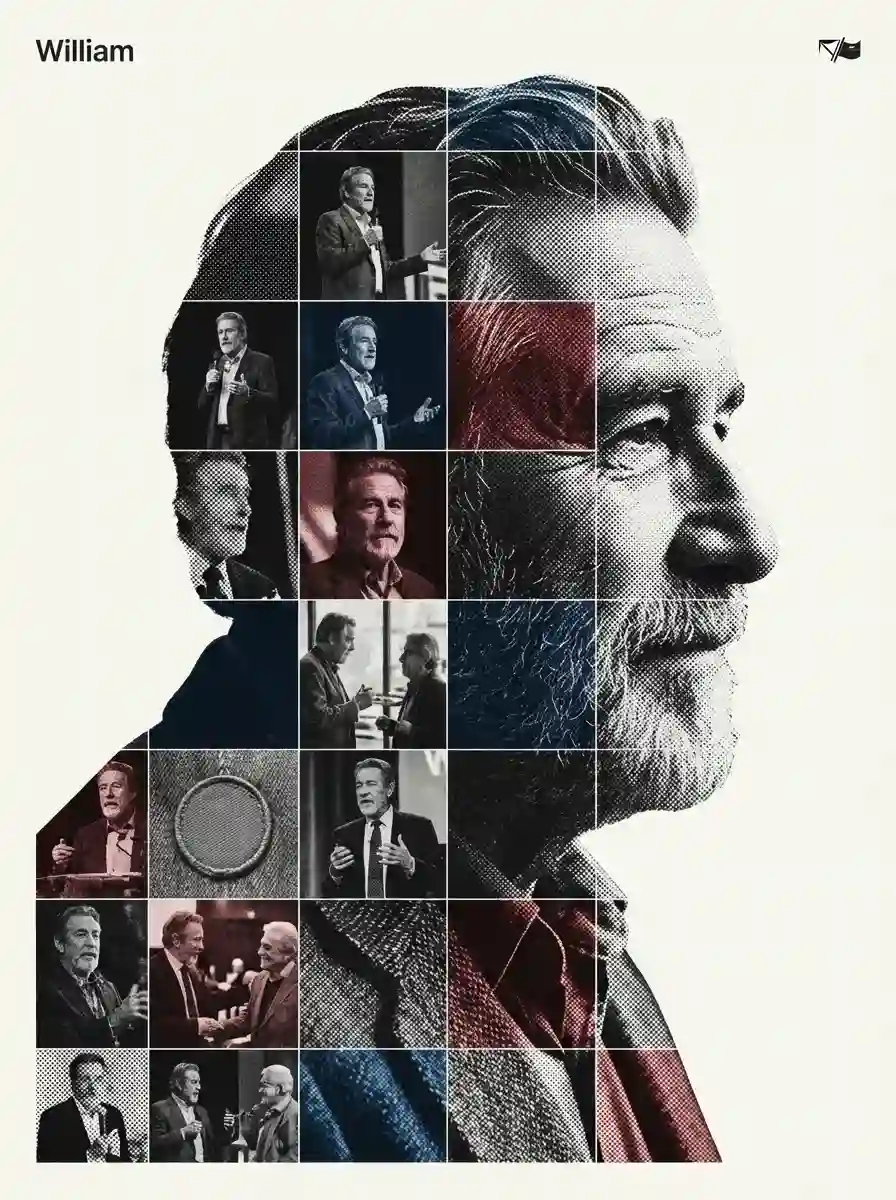
Create Photo Grid Tribute Poster Design by Nano Banana Pro.
Prompt
[Referencing the characters in the reference image]. Act as a high-end house design graphic designer creating a conceptual tribute poster. The style is a complex "dual exposure photo-grid composite" with mixed-media textures.CENTRAL STRUCTURE (THE VESSEL): The central focus is a large-scale, high-contrast black and white portrait silhouette of [Referencing the characters in the reference image]. This main portrait acts as the container. THE GRID FILL & TEXTURES (MIXED MEDIA):The interior of the silhouette is populated by a dense "photo mosaic grid" of action shots from the person's career. CRITICAL TEXTURE INSTRUCTION: Do not just paste flat photos. Apply artistic textures to various grid cells to create a tactile, collage feel. Use effects like: Halftone Dots: Comic-book style raster patterns on some cells. Fabric/Embroidery: Subtle thread or canvas textures suggesting a jersey or patch. Film Grain: Heavy noise on specific high-contrast action shots. COLOR STRATEGY: The base is Monochrome B&W. Use selective color overlays (relevant to the team/flag) ONLY on specific grid cells to create a rhythm. TYPOGRAPHY & BRANDING (STRICT MICRO-SCALING): Top Left (The Name): Write "[William]" strictly using the font Inter Semibold. Kerning: Tight negative kerning (-4%). Size: SMALL and discreet. It must occupy MAXIMUM 20% of the canvas width. Do NOT make it large or loud. Top Right (The Symbol): design logo (Team/Brand/Flag). Size: VERY SMALL. It must occupy MAXIMUM 10% of the canvas width. COMPOSITION & BACKGROUND: Background: Off-white or light grey with a visible high-quality paper or concrete texture. It should not be flat digital white. Alignment: Center the figure perfectly. Maintain wide negative space around the object.
Entrar para usar este estilo
Como usar
Clique em «Criar neste estilo»
Pressione o botão acima para abrir o gerador com este estilo pré-carregado.
Acesso automático ao gerador
Você será levado diretamente ao gerador com o prompt já preenchido.
Ajuste os detalhes
Descreva detalhes como assunto, cores e humor, depois clique em Gerar.