3D 캐릭터 및 연필 스케치 합성
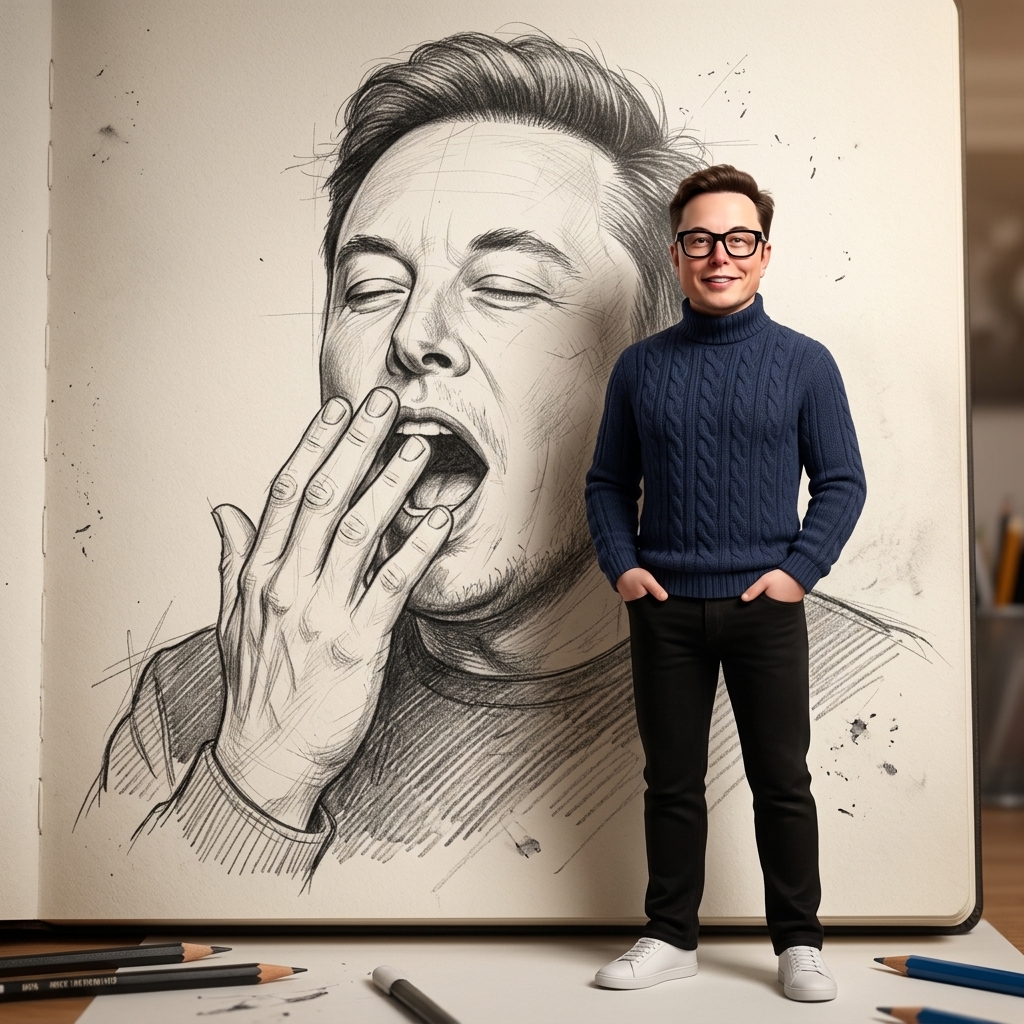
동일한 피사체의 크고 상세한 흑연 연필 스케치 앞에 서 있는 3D 애니메이션 캐릭터를 특징으로 하는 합성 예술 작품.
Prompt
Create a premium cinematic composite artwork using the reference photo. In the background, draw a giant hand-drawn pencil illustration of the same person yawning, rendered on textured sketchbook paper with highly detailed graphite shading, realistic pencil strokes, cross-hatching, construction lines, and authentic artist sketch details. The yawning expression should be natural and expressive, with one hand partially covering the mouth. In the foreground, place a full-body 3D Pixar-style character version of the same person standing casually with hands in pockets, smiling gently, wearing the same dark cable-knit turtleneck sweater, black pants, white sneakers, curly dark hair, beard, and large black glasses. The 3D character should closely match the facial features of the reference image while maintaining high-end Pixar animation aesthetics. Soft cinematic lighting, subtle depth of field, warm studio atmosphere, realistic shadows cast onto the paper background, ultra-detailed textures, photorealistic rendering quality, clean composition, professional concept-art presentation. Include a few sketch pencils around the scene for artistic context. 8K resolution, ultra-sharp details, masterpiece quality, highly realistic lighting, vertical composition.low resolution, blurry, distorted face, extra fingers, extra limbs, cropped body, duplicate character, deformed anatomy, bad proportions, low-quality sketch, messy composition, oversaturated colors, cartoon background, watermark, text, logo, frame, noise, artifacts, unrealistic glasses, incorrect clothing, multiple people.Pixar 3D + Hand-Drawn Pencil Illustration."quality": "8K","lighting": "Soft cinematic studio lighting","angle": "Eye-level","lens": "50mm portrait lens","depth_of_field": "Shallow".
로그인 이 스타일을 사용하려면
사용 방법
"같은 스타일로 생성" 클릭
위 버튼을 눌러 이 스타일이 미리 로드된 AI 이미지 생성기를 엽니다.
AI 이미지 생성기로 자동 이동
프롬프트가 이미 입력된 상태로 생성기로 바로 이동합니다.
세부 내용 조정
원하는 피사체, 색상, 분위기 등을 입력한 후 생성 버튼을 누르세요.