Photo Grid Tribute Poster Design
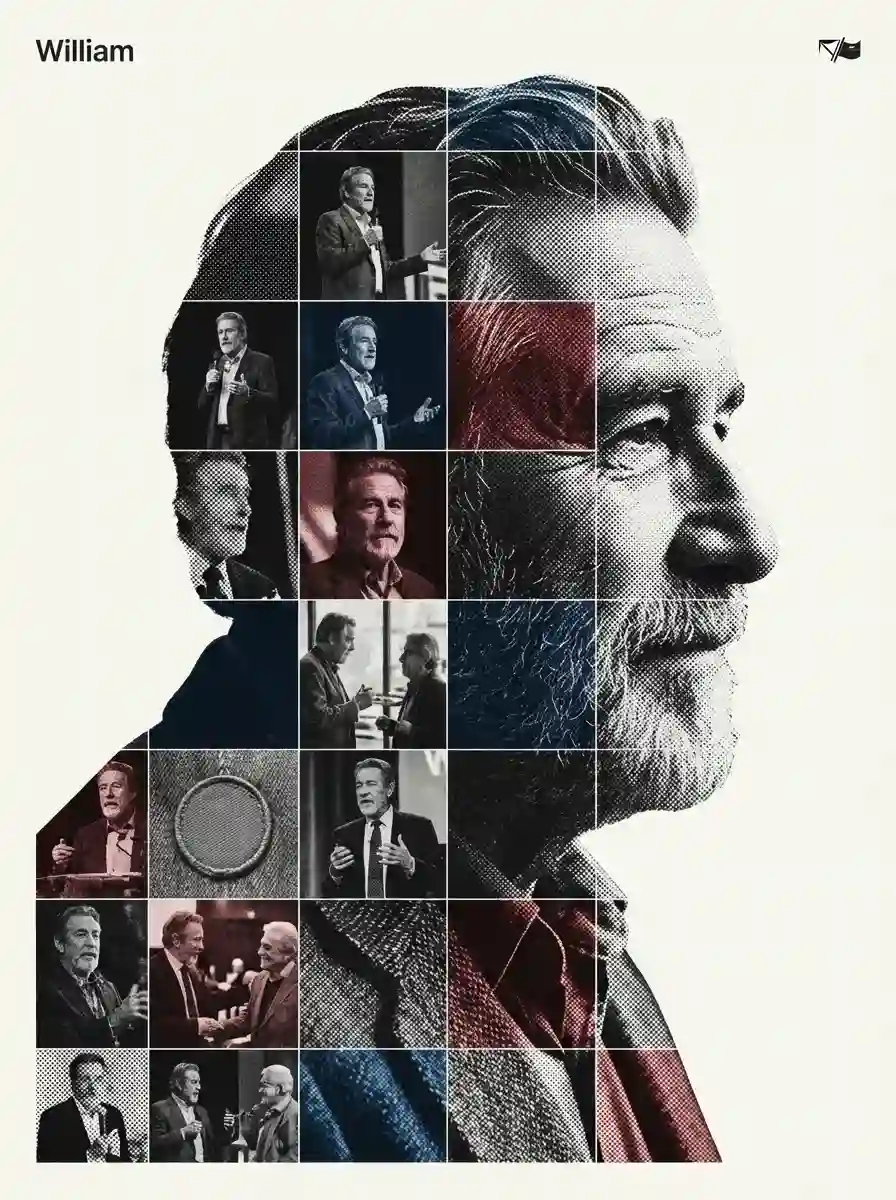
Create Photo Grid Tribute Poster Design by Nano Banana Pro.
Prompt
[Referencing the characters in the reference image]. Act as a high-end house design graphic designer creating a conceptual tribute poster. The style is a complex "dual exposure photo-grid composite" with mixed-media textures.CENTRAL STRUCTURE (THE VESSEL): The central focus is a large-scale, high-contrast black and white portrait silhouette of [Referencing the characters in the reference image]. This main portrait acts as the container. THE GRID FILL & TEXTURES (MIXED MEDIA):The interior of the silhouette is populated by a dense "photo mosaic grid" of action shots from the person's career. CRITICAL TEXTURE INSTRUCTION: Do not just paste flat photos. Apply artistic textures to various grid cells to create a tactile, collage feel. Use effects like: Halftone Dots: Comic-book style raster patterns on some cells. Fabric/Embroidery: Subtle thread or canvas textures suggesting a jersey or patch. Film Grain: Heavy noise on specific high-contrast action shots. COLOR STRATEGY: The base is Monochrome B&W. Use selective color overlays (relevant to the team/flag) ONLY on specific grid cells to create a rhythm. TYPOGRAPHY & BRANDING (STRICT MICRO-SCALING): Top Left (The Name): Write "[William]" strictly using the font Inter Semibold. Kerning: Tight negative kerning (-4%). Size: SMALL and discreet. It must occupy MAXIMUM 20% of the canvas width. Do NOT make it large or loud. Top Right (The Symbol): design logo (Team/Brand/Flag). Size: VERY SMALL. It must occupy MAXIMUM 10% of the canvas width. COMPOSITION & BACKGROUND: Background: Off-white or light grey with a visible high-quality paper or concrete texture. It should not be flat digital white. Alignment: Center the figure perfectly. Maintain wide negative space around the object.
Se connecter pour utiliser ce style
Comment utiliser
Cliquez sur « Créer dans ce style »
Appuyez sur le bouton ci-dessus pour ouvrir le générateur d'images IA avec ce style préchargé.
Accès automatique au générateur
Vous serez directement redirigé vers le générateur avec le prompt déjà rempli.
Ajustez les détails
Décrivez vos préférences — sujet, couleurs, ambiance — puis cliquez sur Générer.