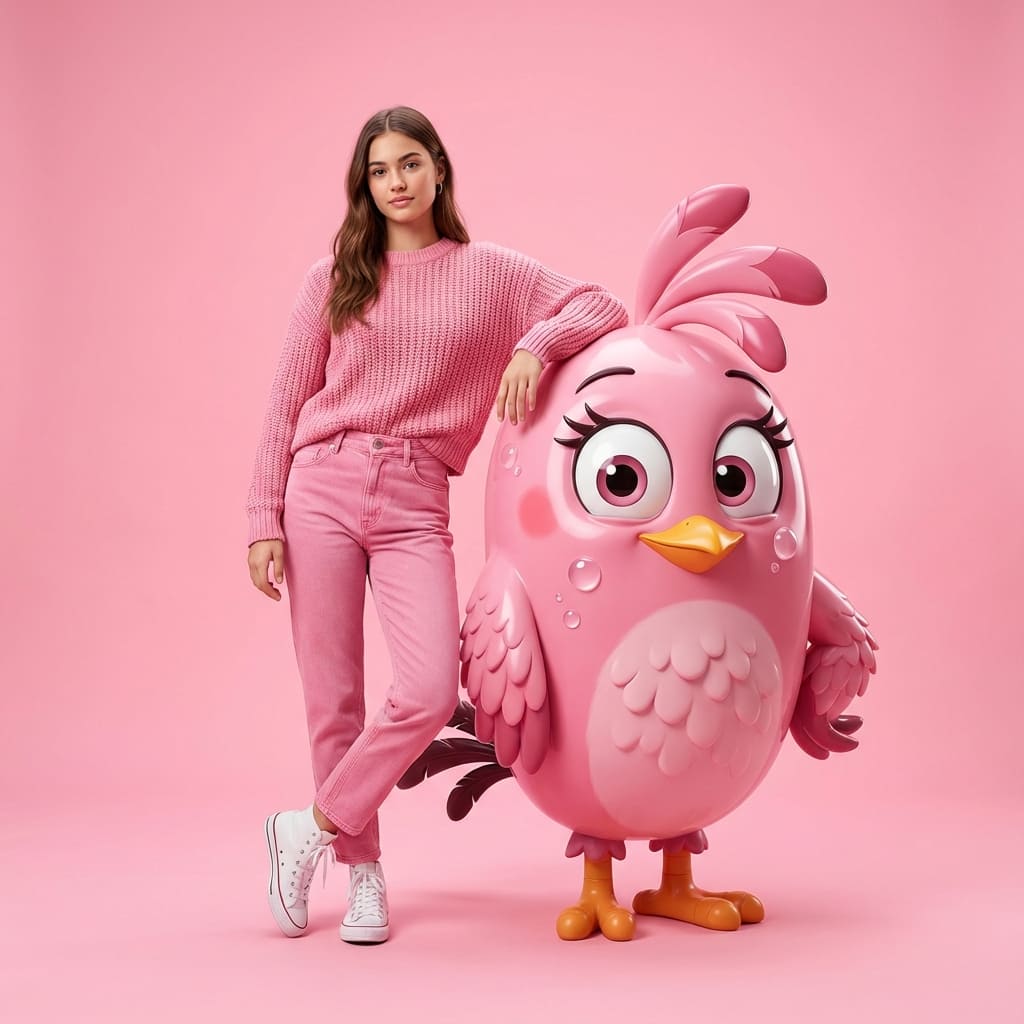
Professional fashion photography
Create professional fashion photography by Nano Banana Pro.
Prompt
{"image_generation":{"quality":"hyper-realistic, high-detail, professional fashion photoshoot","face":{"preserve_original":true,"reference_match":true,"description":"Use the exact same face from the uploaded photo without altering any facial features or identity."},"subject":{"description":"A stylish young woman with the same face as the reference photo.","clothing":{"top":{"type":"knitted sweater","color":"pink"},"pants":{"type":"jeans","color":"pink"},"shoes":{"type":"high-top sneakers","color":"white"}},"pose":"standing with one arm resting casually on a giant 3D-rendered Angry Birds 'Pink' character","expression":"natural, confident, casual fashion look"},"character_element":{"name":"Angry Birds Pink","type":"giant 3D photorealistic render","style":"clean, glossy, cartoon-accurate but ultra-detailed","interaction":"the woman's arm rests on the character as if posing together"},"environment":{"background":"seamless solid vibrant light pink backdrop","setting":"professional photo studio","lighting":"soft evenly diffused studio lighting with clean highlights and minimal shadows"},"aesthetic":{"style":"modern fashion photography","mood":"playful, bright, stylish","details":["hyperrealistic skin texture","sharp fabric details","accurate lighting reflections on 3D character","smooth studio gradients"]}}
Anmelden um diesen Stil zu verwenden
So geht's
„Im gleichen Stil erstellen" klicken
Klicke oben, um den KI-Bildgenerator mit diesem Stil zu öffnen.
Automatisch zum Generator
Du wirst direkt zum Generator weitergeleitet, der Prompt ist bereits ausgefüllt.
Details anpassen
Beschreibe Details wie Motiv, Farben oder Stimmung und klicke auf Generieren.